
Get the editable examples
Included editable examples. Enable RPGMapsCompass and Show Plugin Content in your existing UE 5.8.3 project. Find the included plugin examples at the package paths below, then duplicate them into your own game Content to customize them. No additional project or other BIS product is required.
The seven calibration/raw assets are retained. The new widget and native marker are separate examples; they are not already placed in the calibration level. The widget contains binding instructions and editable data functions, not a finished HUD layout.
19. Hook waypoint records to your UI
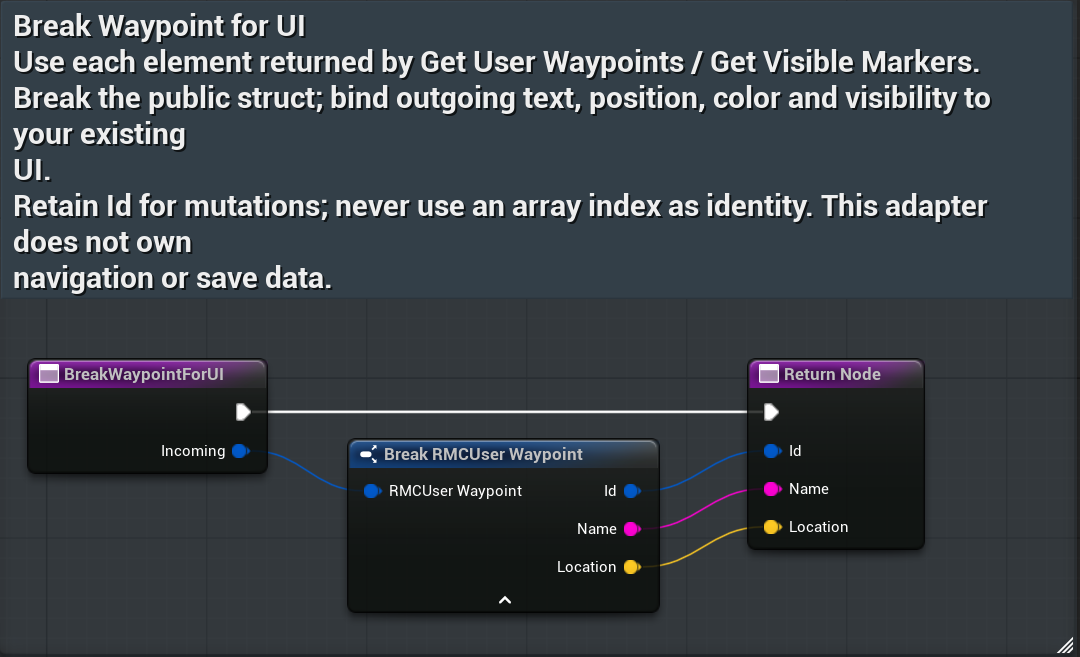
BreakWaypointForUI- Complete the owning-player hookup first. Read the current Get User Waypoints array from that player’s navigation subsystem; refresh it after accepted mutations or the scoped waypoint-changed event.
- In your existing UI, create or retain a WBP_RMC_BuyerStructUI instance with your owning player. For each returned array element, pass the entire record to Break Waypoint For UI.
- Connect Name to your text widget (convert String to Text where required), Location to your destination/indicator logic, and Id to the row’s retained selection key.
- On rename/remove, supply the retained Id to the relevant navigation call. Branch on that call’s accepted/failure result before updating the row; keep editable retry input on refusal.
Expected result: the three fields preserve the same outgoing record. Empty/default records remain empty/default; the adapter creates no destination or save operation. Disable mutation actions until a valid accepted GUID is selected. Array indices are not identity.
20. Hook marker records to your UI
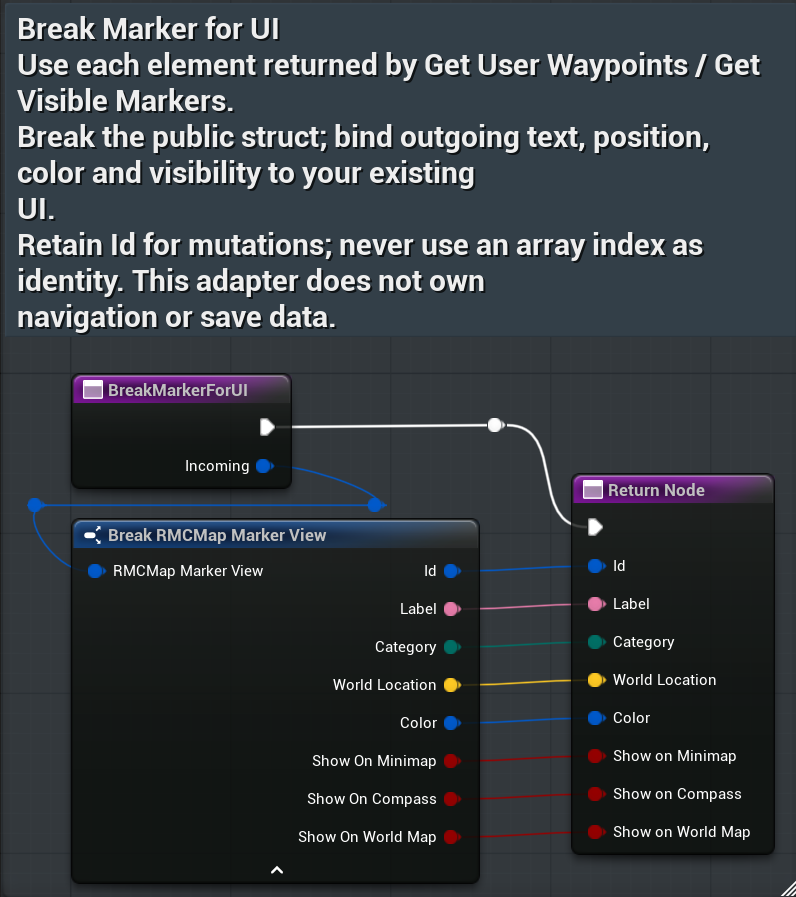
BreakMarkerForUI- Query Get Visible Markers from the exact owning player. Pass each returned record to Break Marker For UI.
- Bind Label and Color to your existing marker widget, World Location to world/map/projection logic, and Category to your presentation/filter logic. Keep Id as the marker’s stable row key.
- Use Show On Minimap, Show On Compass and Show On World Map for the corresponding display surfaces. Respect the player’s category filters; surface flags and category visibility are distinct.
- Refresh your rows from current state. The adapter reads a copy; it does not alter the registered component, ownership, waypoint collection or disk progress.
Expected result: all eight outgoing fields match the incoming view. For an unavailable/invalid marker reference, retain your UI’s unavailable state rather than treating a default view as an accepted gameplay destination.
21. Place and customize a native landmark
- Place BP_RMC_BuyerNativeMarker in your existing gameplay level and choose its transform. It inherits public RMC Map Marker Actor and needs no visual mesh.
- Select its Marker component. Set Marker Label, Category, Marker Color and the three display flags. The saved example uses label Buyer native landmark, Landmark, color(.8,.2,.1,1), minimap true/compass false/world map true.
- Retain the valid placed/spawned actor reference. During normal gameplay after world actors initialize, call Read Native Marker For UI; pass its View to Break Marker For UI or your equivalent field bindings.
- Query registered markers through the owning player’s navigation. For explicit registration, register/unregister only your own component during its lifecycle. Preserve other registrations and filters.
Expected result: View contains the component’s stable ID, label/category/color/flags and the actor’s current world location. Call after normal world actor initialization; this read does not make an unready world ready. Editor/tooling calls before actor initialization can leave default outputs and do not establish successful gameplay execution.
The clean test exercised exact saved read bytecode and explicit public registration/unregistration. Automatic local-player BeginPlay/EndPlay marker registration remains a separate coverage gap; no designed HUD/gallery claim is made.
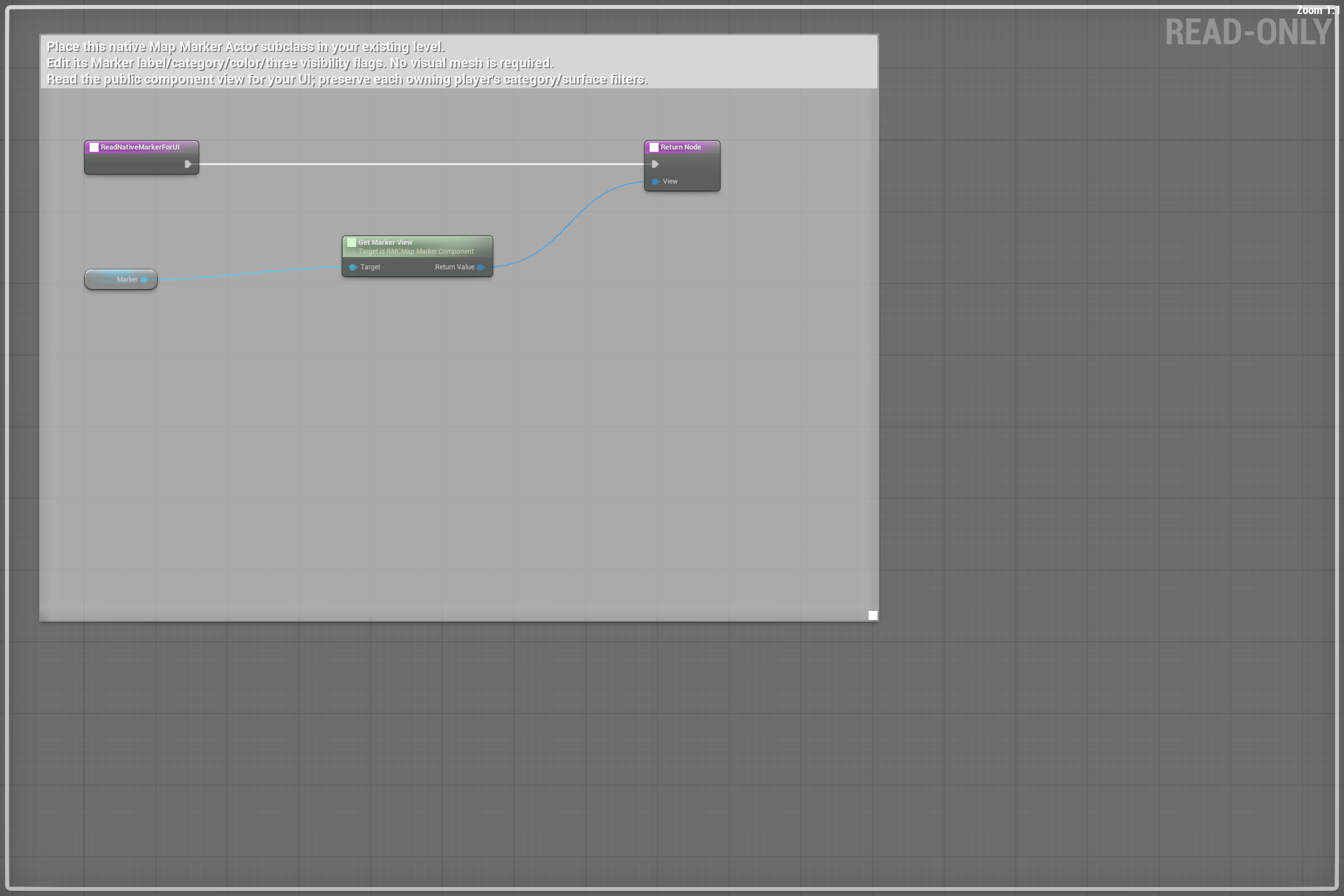
Scroll each panel to read its original-size labels. Follow wires between overlapping panels; use the overview for the complete connection route.
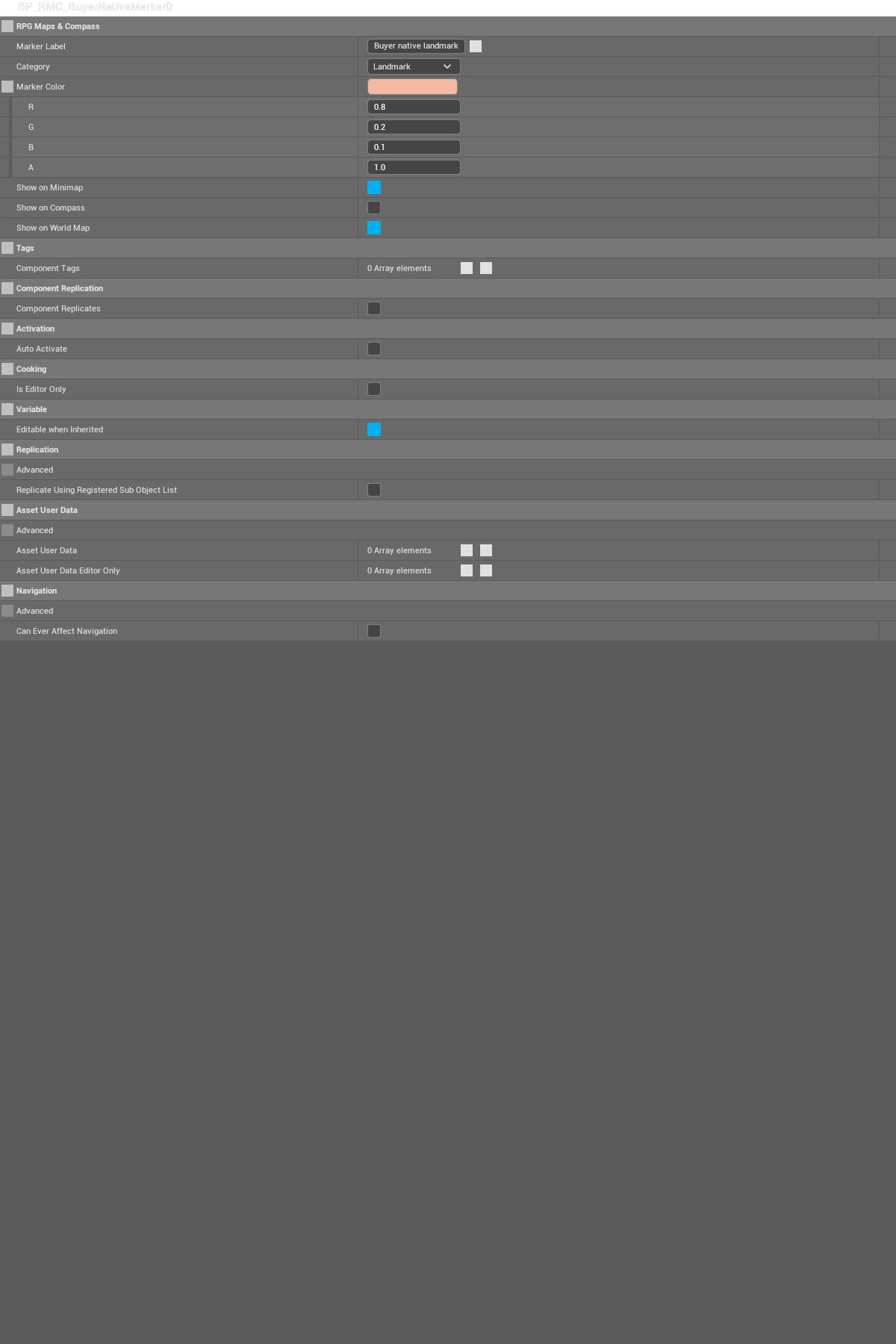
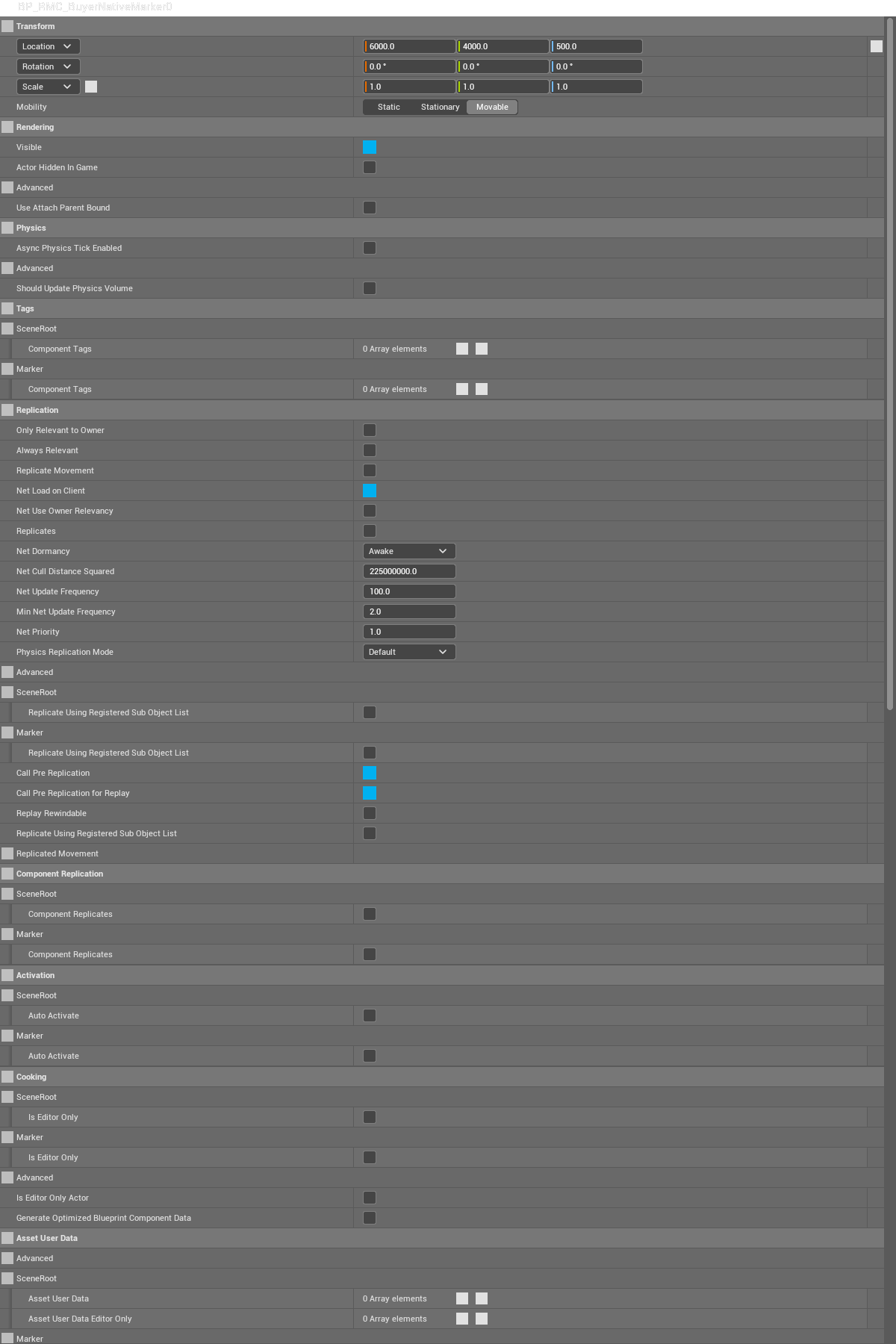
Actor inspector viewport: lower unrelated standard Actor fields continue beyond this capture. The required marker settings are in the separate Marker Details view.
Readiness, failure and cleanup
| Input / condition | Buyer action and outgoing result |
|---|---|
| Subsystem reference unavailable | Branch on reference readiness before navigation calls. Raw OwnerReady means reference validity; query player pose and progress readiness separately. |
| Default struct or no selected accepted GUID | Adapter maps default fields; keep unavailable/empty UI state and disable mutations. It creates no success/failure receipt. |
| World actors not initialized or actor reference invalid | Wait for normal gameplay readiness and a valid actor. Treat default outputs as unavailable; do not infer acceptance. |
| Mutation refused or disk write failed | Branch on the originating operation’s result/receipt, retain useful retry input, and keep settings and progress disk receipts separate. |
| UI listener removed or component owned by your actor ends | Disconnect your exact observer and unregister only your own explicit registrations; do not clear other owners. |