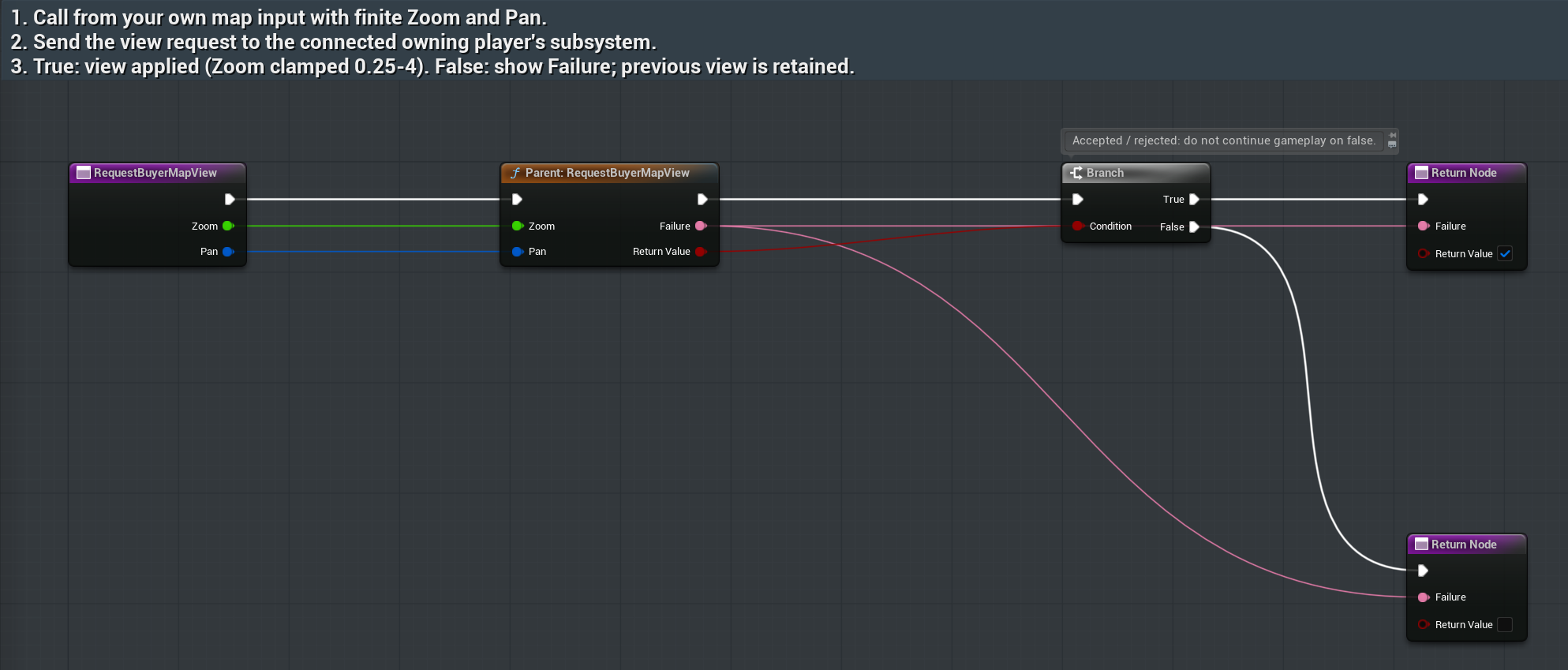
Request zoom and pan
RequestBuyerMapViewAsset: /RPGMapsCompass/RPGMapsCompass/Examples/BP_RMC_BuyerRegion
Tab/function: RequestBuyerMapView
- From your existing map widget call Request Buyer Map View on the connected region actor.
- Wire your desired finite Zoom and Pan into the inputs. Pan is a map-view offset; it does not move the pawn.
- Branch on Return Value. Show Failure on false. Read the effective view after an accepted request because zoom is clamped to 0.25–4.
Expected result: The request affects the owning player’s world-map view; missing owner and nonfinite data refuse the request.
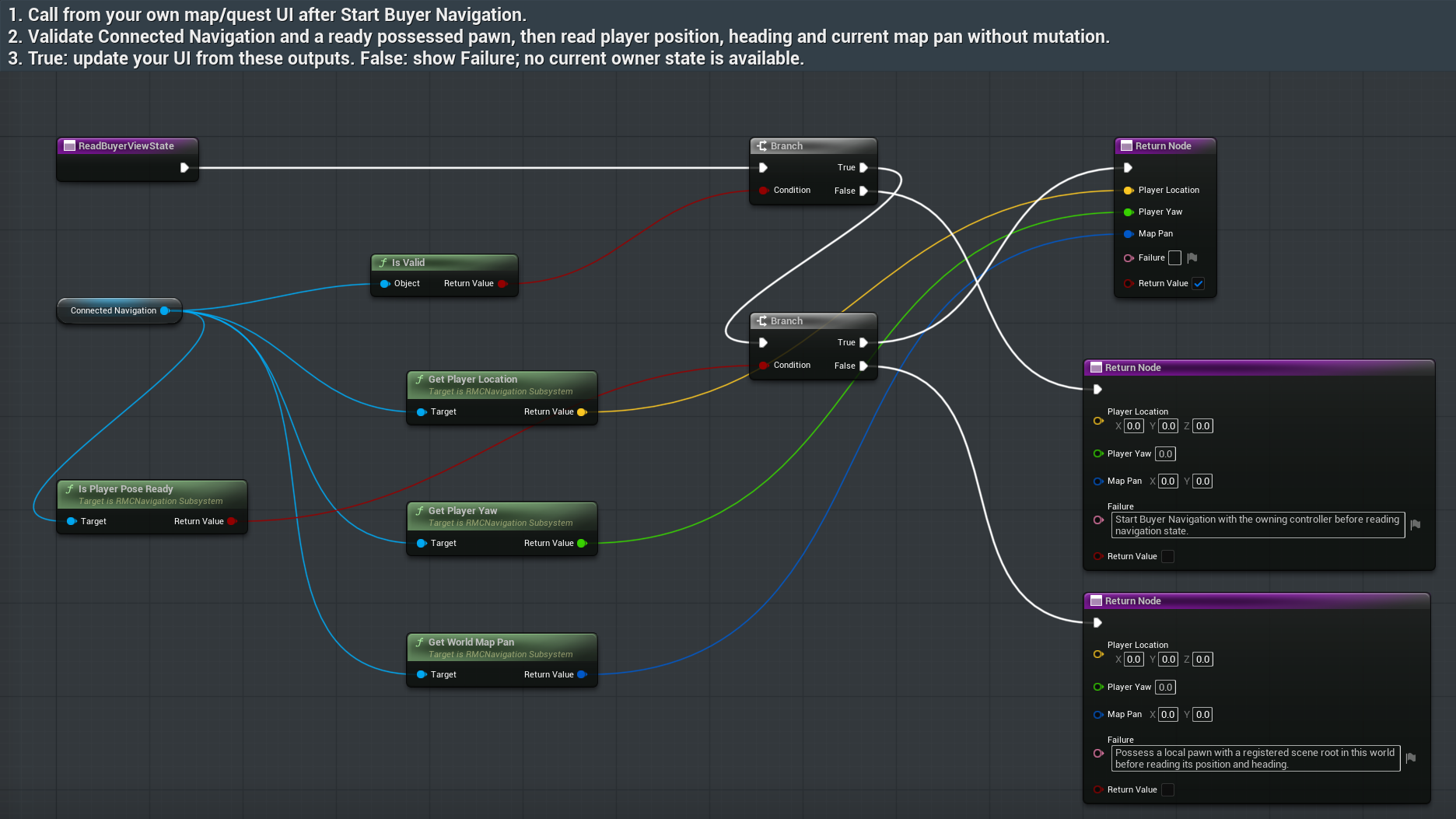
Display real player position and heading
ReadBuyerViewStateAsset: /RPGMapsCompass/RPGMapsCompass/Examples/BP_RMC_BuyerRegion
Tab/function: ReadBuyerViewState
- Call Read Buyer View State from your minimap UI after Start Buyer Navigation.
- Require a possessed local pawn with a registered scene root in the current world. Branch on Return Value before using Player Location, Player Yaw and World Map Pan.
- On false show Failure and wait for a ready pawn or reconnect the owner. Move the pawn, then read again to refresh your UI.
Expected result: The executed saved graph reports the actual moved pawn. It refuses missing pose rather than reporting a fake origin.
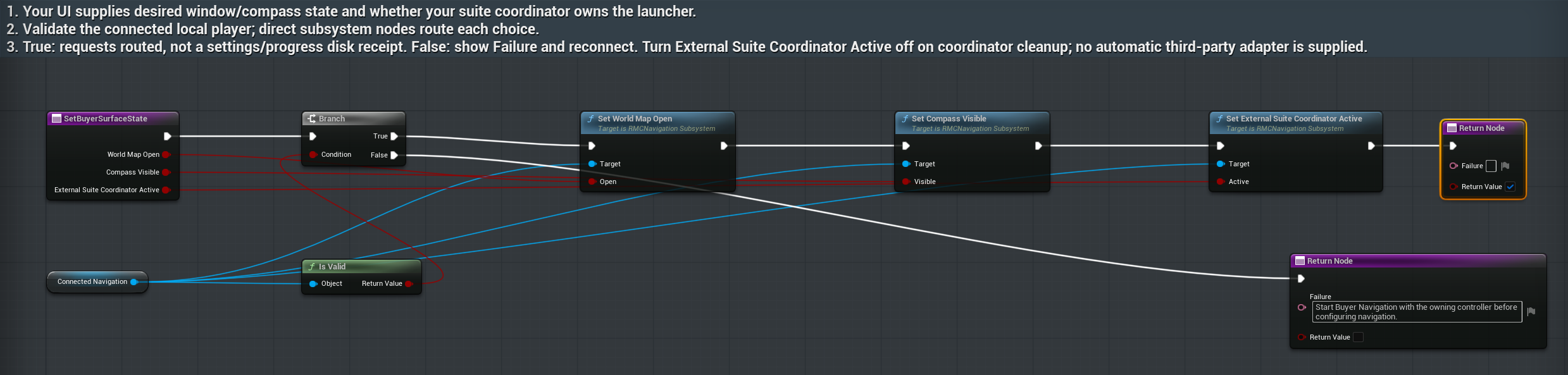
Choose map, compass and launcher ownership
SetBuyerSurfaceStateAsset: /RPGMapsCompass/RPGMapsCompass/Examples/BP_RMC_BuyerRegion
Tab/function: SetBuyerSurfaceState
- Call Set Buyer Surface State from your existing menu or single suite coordinator.
- Wire the desired World Map Open and Compass Visible choices. Set External Coordinator Active only when your actual coordinator owns the standalone launcher.
- Release that ownership flag before coordinator cleanup. Branch on Return Value and show Failure if disconnected.
Expected result: These are runtime surface requests. They do not provide a disk-save receipt or a third-party framework adapter.